My memory couldn't be trusted, so I built one I could glance at
€270, three days, one ultrawide panel, a Pi 5: an always-on dashboard behind my keyboard for the things my brain refuses to remember.

TL;DR
€270, three days, one ultrawide panel and a Raspberry Pi: an always-on dashboard behind my keyboard that handles the things my brain refuses to remember.
- Recurring chores (invoicing, dog walks, bins) get auto-scheduled onto my calendar
- The calendar plus a dozen things I used to keep in tabs (Gmail, Jira, GitHub, cluster status) all in one place
- No buttons. No nudges. No “you’ve been working too long.” Just visibility.
- Hardware: 12.3” Waveshare panel, Pi 5 inside a custom 3D-printed shell with a magnetic flippable kickstand
Doesn’t fix ADHD. Just makes living with it cheaper.
I keep forgetting to invoice my customers. As a habit, that’s pretty bad for a CEO.
It isn’t avoidance. Sending invoices on the first business day of the month determines whether the company has cash next month. The hours are tracked, the work is shipped, and somewhere in the second week I’ll get a polite “hey, just checking…” from procurement, and realize I never actually made the invoice.
Once I started writing the pattern down, the rest surfaced quickly. Weekly checks for incoming bills to forward to accounting. Biweekly HR sync. Friday timesheet controls, which the Monday-morning invoice run depends on. The daily Mail churn. Status check-ins with the co-organizers of a side project I help run. None of these take much time. They all have the same profile: recurring, not urgent in my mind until they’re suddenly a problem, and not visible anywhere I’m already looking.
That’s my actual problem. A missed invoice surfaces as a cash-flow question. A missed check-in turns into a grumpy colleague. A missed filing turns into a late fee.
Why is this a problem for me? The honest answer is probably some undiagnosed flavor of ADHD plus a sprinkle of autism. Boring-but-important tasks slide off, dopamine-shaped distractions fill the gap.
And then there were the tabs
There was an adjacent problem in the same shape. By the time I started writing the chores down, my browser and phone state at any given moment was some subset of:
- Gmail across five accounts
- Google Calendar
- Jira on two instances as well as other todo tracking tools
- GitHub issues and PRs across my user and several orgs
- Grafana for two Kubernetes clusters
- Claude Code usage across multiple accounts
- Notifications galore
Each one was glanceable on its own. The combined cost of keeping all of them available and switching between them was the real expense. Most were hidden under a plethora of open windows on my three-display setup.
Same fix in both cases: stop letting any of this compete for the foreground, and surface the right information at the right time and place.
My first attempt was Motion. It auto-scheduled the chores onto my calendar, which did help. But I still had to go look at the calendar to know what Motion had decided. I didn’t even finish the onboarding because I forgot about it.
Home, same issue
The list at home isn’t all that different. Two dogs that need walking twice a day, kitchen cleaning, laundry, the bin out before the next-morning pickup. Small recurring jobs, easy to lose in the moment if no one’s keeping a running tally. Shared visibility helps more than reminders do.
What I needed instead
Something that’s always present, not too distracting, showing me the information I need right at this moment.
Glanceable, not interactive.
Around the same time, my partner had independently landed on a similar idea: a DIY project around a screen that shows information and is a fun gadget to have around. They were thinking about a fun desk companion. I was thinking about Jira and Gmail. Same instinct, different data.
Which settled where it should live. Not my work monitor, since that’s the surface I’m trying to escape. Not my phone: same problem, smaller screen. Something separate, sitting behind the keyboard.
Hardware I can assemble, plastic I can print, software I can write for it. Exactly my kind of project.
The fix
Two layers. The first is the chores: a list of recurring tasks, written down where software can read it and turn each one into a real event on my calendar. The second is the dashboard surface itself: an always-on screen behind my keyboard that surfaces the calendar, the inbox, the cluster status, and roughly a dozen other things I’d otherwise have to go look up.
Neither half works alone. The chore list does nothing if I never see it. Motion taught me that. The dashboard does nothing if it’s empty. Together they close the loop: write the recurrences down once, software picks the time slots, the dashboard surfaces them without me having to ask. Completed events vanish on their own.
Write it down once
Reminders don’t work for me. A reminder fires at 9 AM, finds me in a meeting, and by the time the meeting is over I’ve dismissed it twice. By Friday, it’s a little red badge I’m trained to ignore.
Auto-scheduling does. Take the recurrence rules and priorities, look at my actual calendar, find empty time that fits, and write the chore into the calendar as a real event. Not “remember to do laundry”, but a 15-minute block on Wednesday at 19:30 called “laundry”, sitting there like any other meeting, already in front of me when I plan my evening, and highlighted by the dashboard when it’s time.
Motion does this for work chores. The household side lives on a shared calendar that my partner can see. That’s a coordination problem more than a productivity one, and shared visibility is a real fix for it.
The deliberate choice here is to commit to the pattern, not the product. The list of recurrences is mine, in plain text.
One piece of glass
The dashboard runs on MagicMirror², open-source software originally written for those literal mirror-with-a-screen DIY projects, and it turned out to fit this well too. It runs in a small Kubernetes cluster I already have, pulls data from a handful of background workflows that talk to all the upstream services on my behalf, and renders one peripheral surface that anyone with a browser (and my credentials) can look at.
The technical guts deserve their own writeup. For this piece, the relevant part is what ended up on the dashboard. The work page has:
- Today’s calendar: work and household combined, capped at six items. The next event triggers a 5-minute full-screen reminder before it starts, and lingers for 10 minutes after if I don’t dismiss it.
- An aggregated, ranked task list pulled from the two Jira instances I work in plus Motion todos
- Aggregated mail across the five Gmail accounts, with work and priority-tagged mail surfacing to the top
- A heartbeat tile for each of the two Kubernetes clusters, green when everything’s fine, which is most of the time
- A backlog counter for everything queued up but not currently visible: Jira tickets, Motion tasks, unread important mail
- Claude Code usage across my accounts
- The Abfallkalender (the German bin pickup schedule), because I will otherwise miss it
What’s not on it, by design: anything interactive. No buttons. If a tile makes me want to act on it, I’m interacting with the dashboard instead of glancing at it.
What I wanted
The software was one half. The hardware took longer, and not for the reasons I expected.
An ultrawide panel, smaller than my laptop screen, sitting between my keyboard and my main display. The form factor matters: an ultrawide gives me three vertical thirds left to right that map cleanly onto how I think about the information. Focus zone in the middle, orientation zone on the left, status zone on the right.
Tilted around 20 to 30 degrees off the desk. Low enough that it doesn’t compete with my main monitors, readable from a normal seated position. Too vertical and it becomes a second monitor demanding attention. Too flat and I can’t read it without leaning forward. Two angles, not one. I had no idea up front what would feel right, and the variability pays off when I take it into the office where my desk setup is different.
Pi 5 inside the same enclosure, not a separate cage. A single USB-C cable out the back. The whole thing should look intentional, not like a Pi taped to a panel with a piece of acrylic.
You can buy something close. The Corsair Xeneon Edge is a recent ultrawide secondary display, roughly the right shape and size. But it’s a closed product. You can’t put a Pi inside it, you can’t write your own software for it, and the case I wanted treated “the panel” and “the Pi” as one object. So: 3D-print my own shell.
How it ended up
A two-piece printed shell (limited by my printer bed size) that screws directly into the panel, plus a separate kickstand that holds the screen at the angle I want. Eight small neodymium magnets hold the kickstand against the back of the shell. Flipping the kickstand 180 degrees gives me the second tilt angle. No moving parts, no hinge. Pull it off, flip it, snap it back on. Takes about a second.
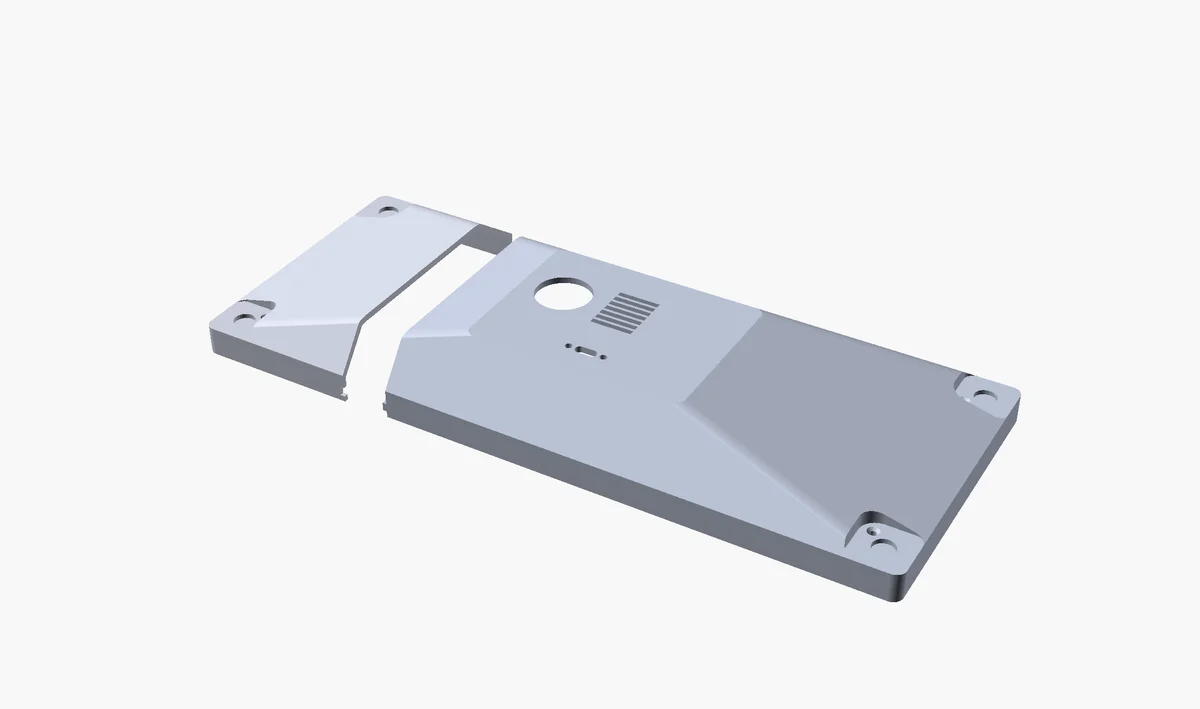
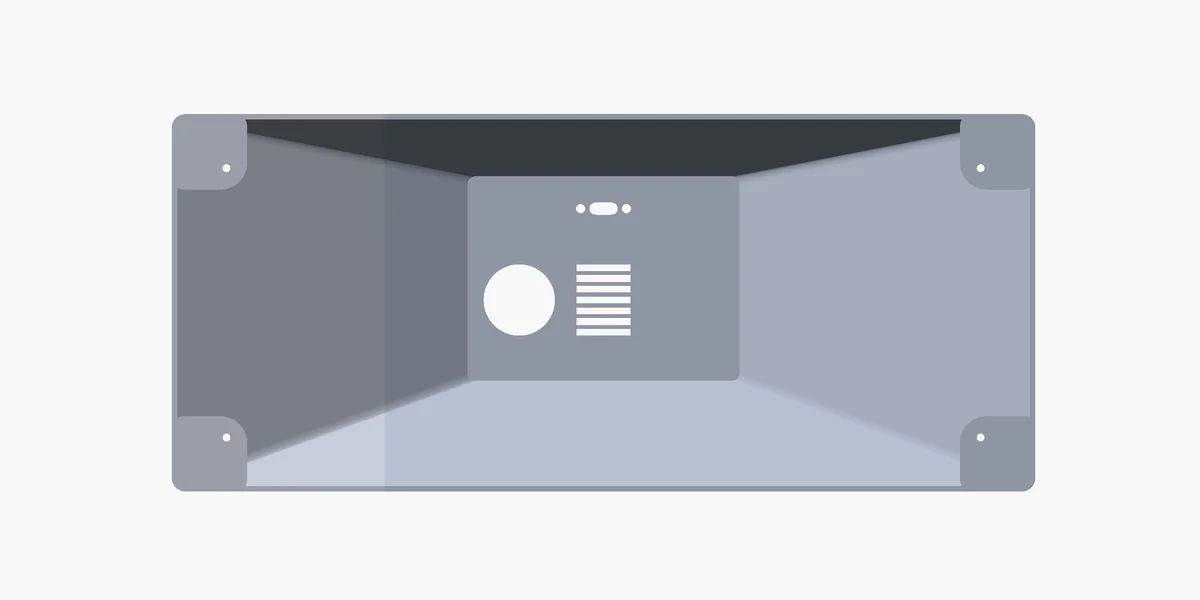
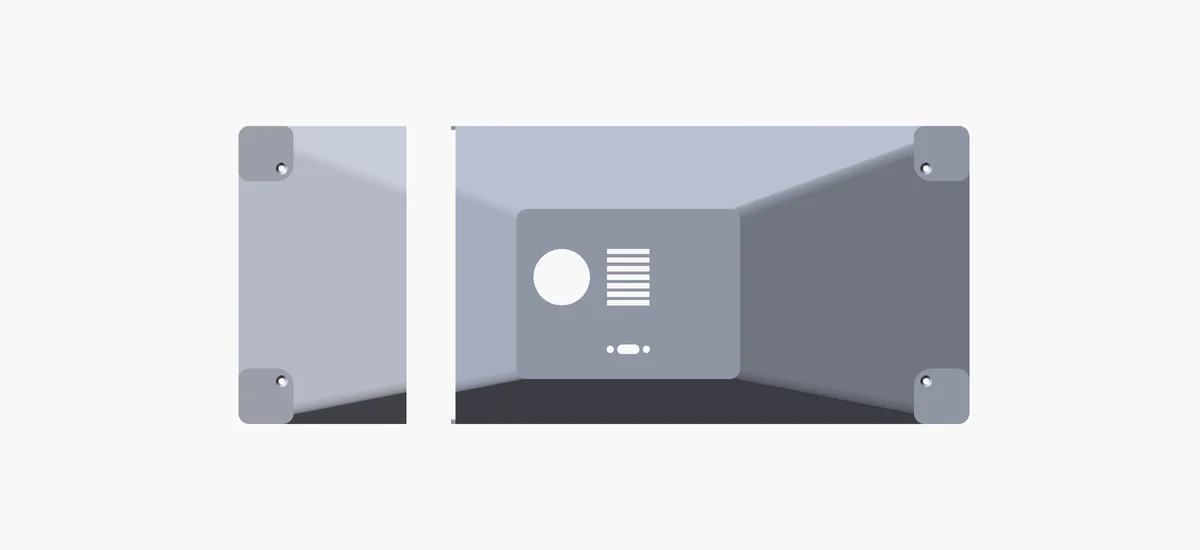
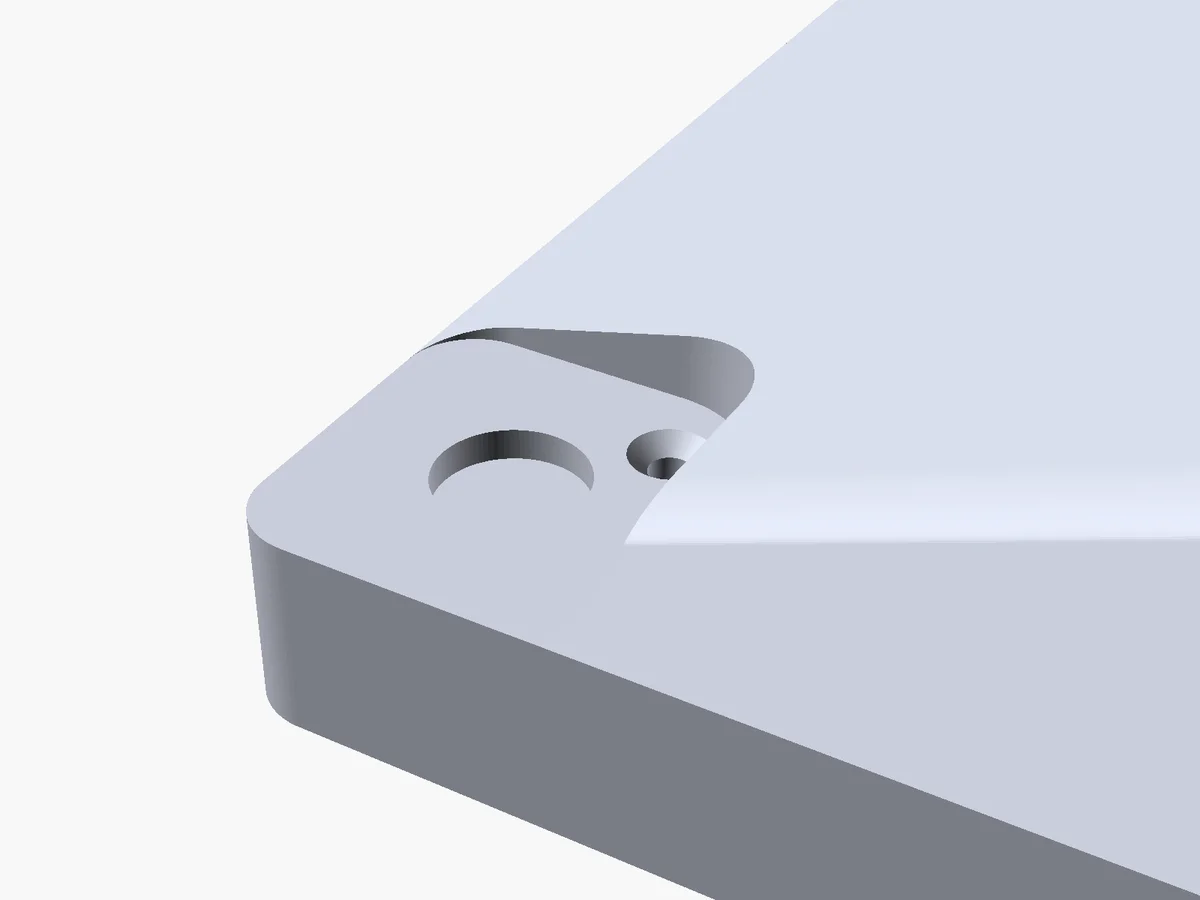
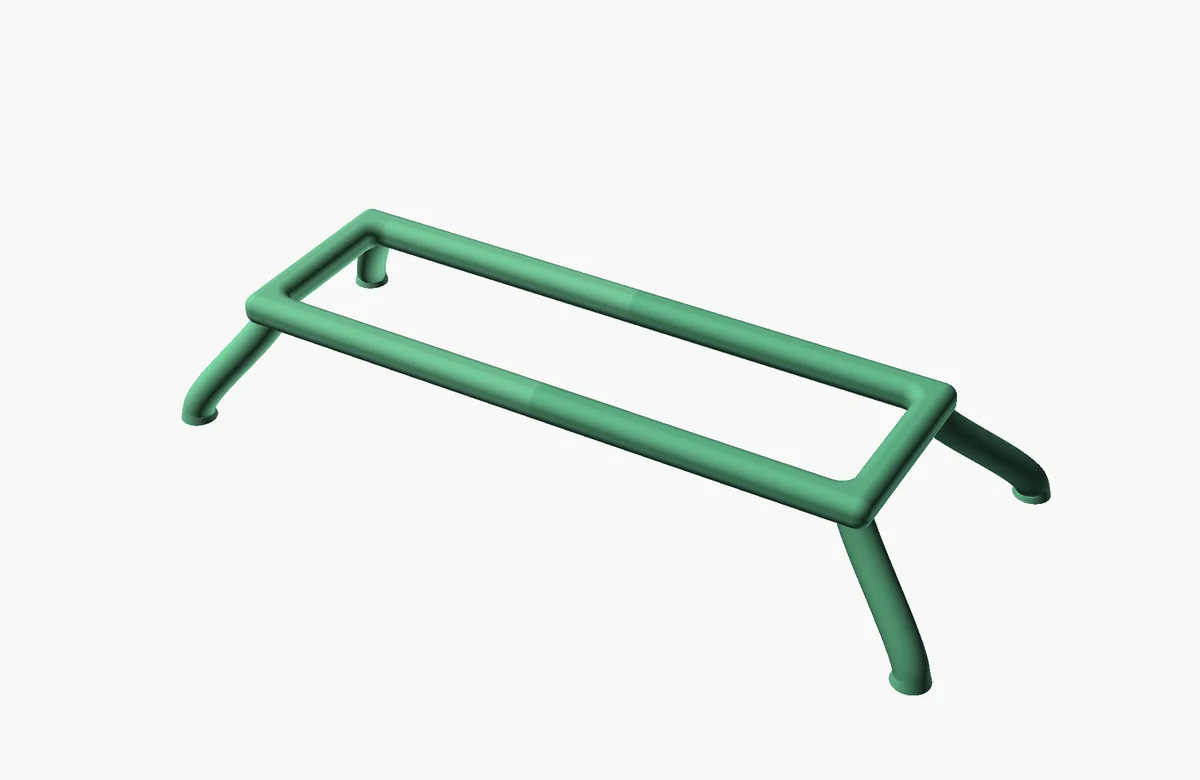
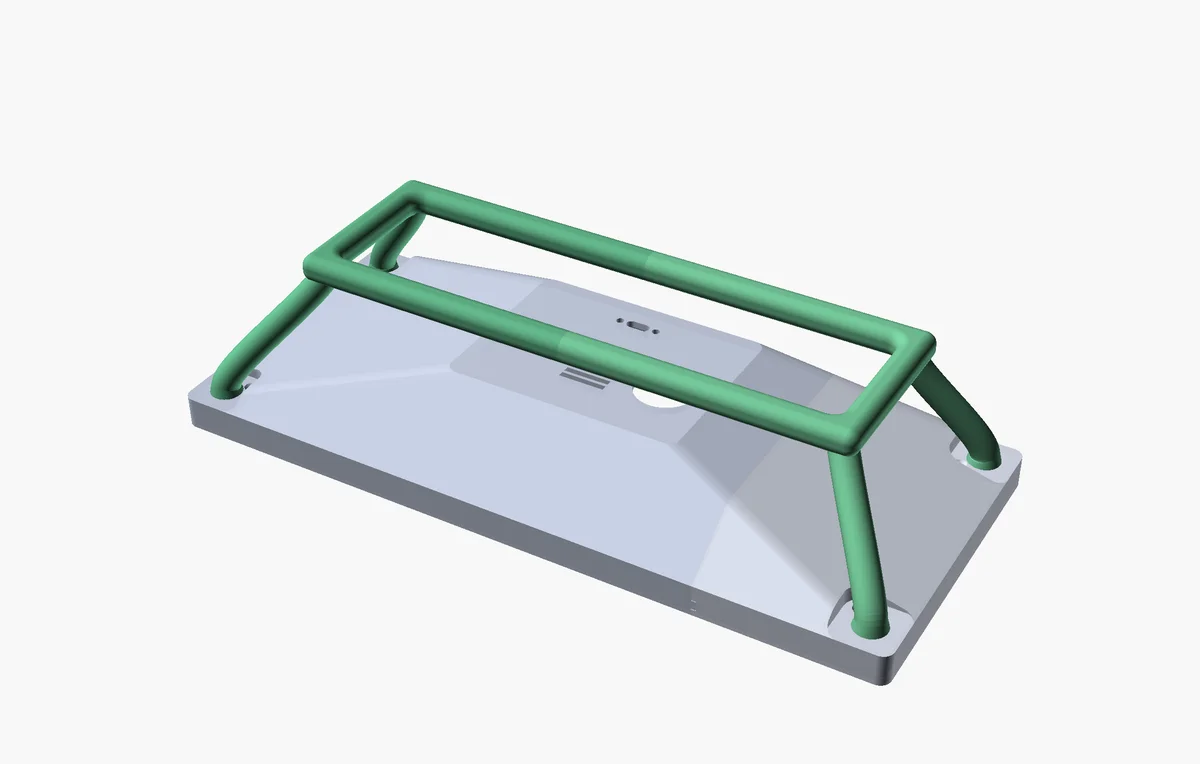
The Pi 5 mounts on the panel’s existing standoff pattern, inside the same enclosure, with the connectors aligned so a USB-C cable comes out the back without a sharp bend. I’ve added a small ambient-light sensor in the front bezel that drives a backlight script, so the panel dims when the room dims and brightens when the room brightens. Fun!
Not on the first try, of course. Designing the shell and stand was harder than I expected. I ended up with somewhere north of seventy STL files. Most of them minor corrections: a screw type that printed poorly, a rim that landed too close to the panel’s metal trim, a cavity that collided with a connector I’d forgotten about. Calipers, two days of focused work, and three test prints later I had the final design.
Working in plastic isn’t like working in code. A part either fits or it doesn’t, and if it doesn’t, you’ve lost a two-hour print and the cost of the filament. Sitting in front of a part that landed one millimeter on the wrong side of where I needed it, after a two-hour print, hurt. The hardware half forced me to slow down: measure, draw, predict, and only then commit. That’s not how I usually work, and it was a good learning experience.
Final product
A roughly 32 by 14 centimeter slab of glass and printed plastic, sitting on the desk behind my keyboard. The kickstand has two angles, picked by flipping it. A USB-C cable goes out the back. Always visible, barely distracting.
Most of the time, I don’t actively look at it. That’s the part I like the most.
Feature creeping always happens
The work side justified the project. Once the dashboard was running and the chore loop had closed, other things started drifting onto it.
Once the architecture was there (n8n workflows, authentication with all the upstream services, the tile system), adding a new tile turned out to be cheap. Twenty minutes of n8n config, a bit of CSS to make it look good. So I started asking “could this go on the dashboard?” about basically everything I checked manually.
Most of what migrated landed on a separate “leisure” page that the dashboard rotates to in the evenings:
- A 3-by-3 grid of new YouTube videos from the channels I subscribe to, filtered to skip shorts and livestreams
- Twitch streamers I follow, lit up when they’re live
- Top items from various news sources, refreshed every ten minutes
- Cumulative download counts for the Minecraft mods I publish, those kinds of things
Some things crossed the work-leisure boundary and ended up on whichever page made sense:
- A “house pulse” tile that surfaces Home Assistant state: print status of my Bambu, whether the vacuum is running, lights still on downstairs, low batteries on the Hue dimmers, NAS health
- Pure fillers: weather, German severe-weather warnings (only renders when there’s actually a warning), the current Moon phase, the NASA astronomy picture of the day. Necessary? No, but fun.
At night, the dashboard switches to a slideshow page that just cycles random photos. Effectively a screensaver. Because it’s the same panel running the same software, the transition is seamless and the room feels less like there’s a piece of glowing tech in it. Needs more dog photos.
None of this was the original plan. If I notice myself opening a tab to check something more than twice in a week, the dashboard usually wins.
What I didn’t add
A few things I deliberately refuse to add.
It is not a task manager. All data is upstream. The dashboard shows what’s on the calendar and what the backlog looks like. The decision about what to do next is mine.
It is not a personal wellbeing nag-screen. I thought about adding a “you’ve been at this for two hours, take a break” tile early on. Discarded it. Ticking off tasks from the dashboard? Too involved. I do that in Jira already and the dashboard picks up the change a minute later. I still feel accomplished when tasks vanish from the screen.
It is not a control surface for the house. Home Assistant could let me pause the printer or start the vacuum from the same screen the status comes from. Nope. The moment a tile has a button, I’m interacting with the dashboard instead of glancing at it. Buttons are Home Assistant’s job. The panel just shows state.
The honest test for any new tile is: would knowing this be enough? If the answer is “no, I’d want to act on this,” it doesn’t go on the dashboard.
What it doesn’t fix
The dashboard is a workaround for my attention, not a fix. I still have to actively do the things. I still forget them if Motion doesn’t put them on the calendar, and I still get pulled into rabbit holes when the rabbit hole is more interesting than what I was supposed to be doing. The dashboard improves my odds of catching the drift before it becomes a problem. That’s it.
And that’s fine. I wasn’t trying to fix that.
What it did take to build
Hardware bill, in round numbers:
- Waveshare 12.3” DSI Touch A panel: €130
- Raspberry Pi 5 (2GB): €75
- Pi 5 active cooler: €10
- Pi 5 power supply (27W USB-C): €18
- USB-C panel-mount socket: €14
- 90° USB-C right-angle adapter (came in a 2-pack): €6
- BH1750 ambient-light sensor (came in a 3-pack): €8
- ~250g of PLA filament across all test prints: €5.50
- Screws and magnets I had lying around: a few euros
Total: somewhere around €270.
For comparison, the Corsair Xeneon Edge is in roughly the same price bracket: just the panel and stand, no Pi, and it can’t run custom software on macOS. This whole project, with the Pi inside the same enclosure and a case I can iterate on, came out at about the cost of the closest closed alternative.
The time
- Hardware research: 4 hours
- Software scaffold and first work-related tiles: Friday evening plus Saturday and Sunday
- 3D modeling and initial test prints: about two days
- Software refinement, Pi setup, more tiles: a few hours each evening for the week after
From idea to working prototype on my desk: three days. Some additional evenings since, hunting down the kind of bugs that only show up after a week of uptime, and adding tiles to feed the slow, rewarding feature creep.
What’s next
Dog photos in the slideshow. Very important.
The Motion replacement. Auto-scheduling is the smallest piece of software in the whole stack and it’s the one I’d most like to own. A weekend of work to replicate enough of Motion to drop it from the bill.
A VESA mount option?
Everything to distract me from actually doing my chores ;-)
Links and references
Software and open-source projects
- MagicMirror² — the dashboard framework everything runs on
- n8n — workflow automation that talks to the upstream services and feeds the tiles
- Motion — the auto-scheduler for work and home chores
- Home Assistant — feeds the house pulse tile
- NASA Astronomy Picture of the Day
Hardware
- Waveshare 12.3” DSI Touch A panel — the display itself
- Raspberry Pi 5
- Pi 5 Active Cooler
- Raspberry Pi 27W USB-C Power Supply
- BH1750 ambient-light sensor — generic I²C breakout board, widely available from Adafruit, Pimoroni, AliExpress and others